Vous n'êtes pas identifié(e).
Pages 1

CPU i7 8700K 3.7 GHz 32 Go RAM DDR4 2400 MHz, Win 11 sur SSD 240 Go, RTX 5060 Ti 16 Go, Driver 621.01, DLSS5, dll versions 310.9.1, résolution 1920x1080, casque VR Oculus Quest 2 câble Link, MSFS 2020 désinstallé, MSFS 2024 SU2 Aviator installé sur SDD NVMe interne, XP12 sur SSD externe NVMe USB 3.2, AFS2 et 4, P3D V5, FSX, FS9, Condor 2 et 3 - entre autres simus -. Connexion Internet 250 Mbits/s
Hors ligne

Merci Lucky,
J'avais la flemme
Ma carte graphique ne m'a pas permis de configurer en DLSS5 mais en DLSS
Très satisfait du résultat.
Je trouve le truc très prometteur.
Hors ligne
Merci Lucky,
J'avais la flemme
Ma carte graphique ne m'a pas permis de configurer en DLSS5 mais en DLSS
Très satisfait du résultat.
Je trouve le truc très prometteur.
Merci : moi je n'ai pas eu le temps de tester j'essayais les nouveaux outils pour le DLSS5... 
CPU i7 8700K 3.7 GHz 32 Go RAM DDR4 2400 MHz, Win 11 sur SSD 240 Go, RTX 5060 Ti 16 Go, Driver 621.01, DLSS5, dll versions 310.9.1, résolution 1920x1080, casque VR Oculus Quest 2 câble Link, MSFS 2020 désinstallé, MSFS 2024 SU2 Aviator installé sur SDD NVMe interne, XP12 sur SSD externe NVMe USB 3.2, AFS2 et 4, P3D V5, FSX, FS9, Condor 2 et 3 - entre autres simus -. Connexion Internet 250 Mbits/s
Hors ligne
Bonsoir,
Trop tôt pour un vrai bilan mais 2 images (il faudra zoomer ou mieux les enregistrer au format natif pour voir les différences) :
Plugin désactivé :
Plugin activé DLSS/DLAA + DLSS5 + Ray tracingx2 + Frame Generation X2 :
(note : effets paramétrables)
Bref ça fonctionne et les performances restent acceptables chez moi : très prometteur !
Dernière modification par lucky (Hier 17:26)
CPU i7 8700K 3.7 GHz 32 Go RAM DDR4 2400 MHz, Win 11 sur SSD 240 Go, RTX 5060 Ti 16 Go, Driver 621.01, DLSS5, dll versions 310.9.1, résolution 1920x1080, casque VR Oculus Quest 2 câble Link, MSFS 2020 désinstallé, MSFS 2024 SU2 Aviator installé sur SDD NVMe interne, XP12 sur SSD externe NVMe USB 3.2, AFS2 et 4, P3D V5, FSX, FS9, Condor 2 et 3 - entre autres simus -. Connexion Internet 250 Mbits/s
Hors ligne
Sur tes images, différence notable au niveau de l'aérogare, notamment la partie gauche (rayures horizontales).
La grue, également est beaucoup plus nette
Hors ligne
Sur tes images, différence notable au niveau de l'aérogare, notamment la partie gauche (rayures horizontales).
La grue, également est beaucoup plus nette
En fait tout est plus net, les ombres sont "débouchées", l'antialiasing est bien meilleur, les tons (saturation) sont paramétrables et le Frame Generation fonctionne : "What else ?"
CPU i7 8700K 3.7 GHz 32 Go RAM DDR4 2400 MHz, Win 11 sur SSD 240 Go, RTX 5060 Ti 16 Go, Driver 621.01, DLSS5, dll versions 310.9.1, résolution 1920x1080, casque VR Oculus Quest 2 câble Link, MSFS 2020 désinstallé, MSFS 2024 SU2 Aviator installé sur SDD NVMe interne, XP12 sur SSD externe NVMe USB 3.2, AFS2 et 4, P3D V5, FSX, FS9, Condor 2 et 3 - entre autres simus -. Connexion Internet 250 Mbits/s
Hors ligne

Ça a l'air très bien, mais RTX 3090 n'est pas trop faite pour le DLSS 5 de toutes façons.
Et j'évite au maximum les logiciels qui agissent en profondeur sur le système, je privilégie la stabilité avant tout ?
AMD Ryzen 9700X, 32 Go de RAM, Carte graphique RTX 3090 nVidia.
Un casque Quest 3 et un hotas Thrustmaster Warthog.
En écran, un téléviseur 50' SamsungQE50 que j'adore :)
Hors ligne
Ça a l'air très bien, mais RTX 3090 n'est pas trop faite pour le DLSS 5 de toutes façons.
Et j'évite au maximum les logiciels qui agissent en profondeur sur le système, je privilégie la stabilité avant tout ?
L'implémentation du DLSS5 est optionnelle : tu peux te "contenter" du DLSS DLAA (entre autres) ou du Frame Generation .C'est totalement paramétrable
Dernière modification par lucky (Hier 21:11)
CPU i7 8700K 3.7 GHz 32 Go RAM DDR4 2400 MHz, Win 11 sur SSD 240 Go, RTX 5060 Ti 16 Go, Driver 621.01, DLSS5, dll versions 310.9.1, résolution 1920x1080, casque VR Oculus Quest 2 câble Link, MSFS 2020 désinstallé, MSFS 2024 SU2 Aviator installé sur SDD NVMe interne, XP12 sur SSD externe NVMe USB 3.2, AFS2 et 4, P3D V5, FSX, FS9, Condor 2 et 3 - entre autres simus -. Connexion Internet 250 Mbits/s
Hors ligne

Ça apporte quelque chose pour les GPU AMD ? J'ai une RX6950XT 16Gb
- Carte Mère Gigabyte Z690 Aorus Elite DDR4, CPU Intel i5 13600K, Carte Graphique Sapphire RX6950XT Nitro+ 16Gb, 32 Go de RAM DDR4 à 3200MHz (CL16) Corsair Vengeance LPX
- SSD NVMe Samsung 980 PRO 1To pour MSFS2020
- SSD NVMe Samsung 970 Evo Plus 1To pour X-Plane 12
Hors ligne
Ça apporte quelque chose pour les GPU AMD ? J'ai une RX6950XT 16Gb
Franchement : en allant voir sur org avec le lien que j'ai donné tout est détaillé...
CPU i7 8700K 3.7 GHz 32 Go RAM DDR4 2400 MHz, Win 11 sur SSD 240 Go, RTX 5060 Ti 16 Go, Driver 621.01, DLSS5, dll versions 310.9.1, résolution 1920x1080, casque VR Oculus Quest 2 câble Link, MSFS 2020 désinstallé, MSFS 2024 SU2 Aviator installé sur SDD NVMe interne, XP12 sur SSD externe NVMe USB 3.2, AFS2 et 4, P3D V5, FSX, FS9, Condor 2 et 3 - entre autres simus -. Connexion Internet 250 Mbits/s
Hors ligne

Bonjour
En fait tout est plus net, les ombres sont "débouchées", l'antialiasing est bien meilleur, les tons (saturation) sont paramétrables et le Frame Generation fonctionne : "What else ?"
En même temps sur la première photo il n'a pas l'air d'être activé du tout.
Hors ligne
Je l’ai testé, super intéressant, sans me servir de Map-enhancement, mais j’ai un problème, des que je clic sur map-enhancement pour pouvoir démarrer mon x-plane 12, mon image de map-enhancement devient complètement noir ? Donc je J’ai aussi tenté de supprimer Lumina XP mais il reste un dossier ( vulcan ) que je ne peut supprimer. Donc plus possible d’utiliser Map-enhancement ? Vous avez eu ce problème ou une solution qui pourrait m’aider.
Merci
Pierre
Mise à jour ce matin de Map enhancement, tout sembler bien fonctionner avec lumina xp, visibilité et netteté incroyable. Je continue les tests.
Pierre
Dernière modification par AVQ05 (Aujourd'hui 16:34)
Intel i9-12900K, Asus prime Z690-P, Mémoire Kingston Fury Beats DDR5 5200 32GB, 2 disques durs SSD M.2 2TB NV1, refroidisseur liquide Asus, Windows 11, TUF gaming Gforce RTX 4070TI12GB, ProFlight Rudder, Honey Comb Yoke & Throttles
Hors ligne
Je l’ai testé, super intéressant, sans me servir de Map-enhancement, mais j’ai un problème, des que je clic sur map-enhancement pour pouvoir démarrer mon x-plane 12, mon image de map-enhancement devient complètement noir ? Donc je J’ai aussi tenté de supprimer Lumina XP mais il reste un dossier ( vulcan ) que je ne peut supprimer. Donc plus possible d’utiliser Map-enhancement ? Vous avez eu ce problème ou une solution qui pourrait m’aider.
Merci
Pierre
L'écran noir avec Map Enhancement, je l'ai eu une fois hier soir. Je l'ai relancé une 2ème fois et il a démarré correctement.
Hors ligne
Je l’ai testé, super intéressant, sans me servir de Map-enhancement, mais j’ai un problème, des que je clic sur map-enhancement pour pouvoir démarrer mon x-plane 12, mon image de map-enhancement devient complètement noir ? Donc je J’ai aussi tenté de supprimer Lumina XP mais il reste un dossier ( vulcan ) que je ne peut supprimer. Donc plus possible d’utiliser Map-enhancement ? Vous avez eu ce problème ou une solution qui pourrait m’aider.
Merci
Pierre
J'ai eu ça aussi mais c'est exclusivement un problème de Map Enhancement : ne touchez à rien ni dans Lumina ni dans votre installationnd X-Plane : il y a eu une mise à jour "dans la foulée" ce qui fait que certains ont cru qu'au deuxième démarrage le problème était réglé : en fait le fix s'était installé entre temps (c'est renseigné dans le "what's new" de la dernière version)
CPU i7 8700K 3.7 GHz 32 Go RAM DDR4 2400 MHz, Win 11 sur SSD 240 Go, RTX 5060 Ti 16 Go, Driver 621.01, DLSS5, dll versions 310.9.1, résolution 1920x1080, casque VR Oculus Quest 2 câble Link, MSFS 2020 désinstallé, MSFS 2024 SU2 Aviator installé sur SDD NVMe interne, XP12 sur SSD externe NVMe USB 3.2, AFS2 et 4, P3D V5, FSX, FS9, Condor 2 et 3 - entre autres simus -. Connexion Internet 250 Mbits/s
Hors ligne
Bonjour
lucky a écrit :En fait tout est plus net, les ombres sont "débouchées", l'antialiasing est bien meilleur, les tons (saturation) sont paramétrables et le Frame Generation fonctionne : "What else ?"
En même temps sur la première photo il n'a pas l'air d'être activé du tout.
Je me suis fait la même remarque mais si je compare à mes "expériences antérieures" ça reste bien meilleur (en même temps en DLSS/DLAA ça serait dommage que ce ne doit pas le cas...)..
CPU i7 8700K 3.7 GHz 32 Go RAM DDR4 2400 MHz, Win 11 sur SSD 240 Go, RTX 5060 Ti 16 Go, Driver 621.01, DLSS5, dll versions 310.9.1, résolution 1920x1080, casque VR Oculus Quest 2 câble Link, MSFS 2020 désinstallé, MSFS 2024 SU2 Aviator installé sur SDD NVMe interne, XP12 sur SSD externe NVMe USB 3.2, AFS2 et 4, P3D V5, FSX, FS9, Condor 2 et 3 - entre autres simus -. Connexion Internet 250 Mbits/s
Hors ligne
Je confirme qu'en DLSS l'amélioration est notable. ça n'a tout simplement rien à voir.
HS: J'ai voulu installé X-World Pro 1.2 et depuis je n'ai que des problèmes. Entre autre j'ai des arbres partout. Si quelqu'un a une piste je suis preneur.
Fin du HS
Hors ligne
Maverick51 a écrit :Ça apporte quelque chose pour les GPU AMD ? J'ai une RX6950XT 16Gb
Franchement : en allant voir sur org avec le lien que j'ai donné tout est détaillé...
L'idée c'était surtout de savoir si quelqu'un ici avait une carte AMD dans une gamme assez semblable avait remarqué une amélioration.
- Carte Mère Gigabyte Z690 Aorus Elite DDR4, CPU Intel i5 13600K, Carte Graphique Sapphire RX6950XT Nitro+ 16Gb, 32 Go de RAM DDR4 à 3200MHz (CL16) Corsair Vengeance LPX
- SSD NVMe Samsung 980 PRO 1To pour MSFS2020
- SSD NVMe Samsung 970 Evo Plus 1To pour X-Plane 12
Hors ligne

Hello
Je l'ai téléchargé, puis mis dans le dossier pluging, c'est là que je me suis aperçu qu'il fallait l'exécuter une fois X plane lancé... pas été plus loin de peur de tout foutre en l'air...
Il parait que l'on peut le désinstaller si l'on souhaite mais restera t-il des traces dans X Plane ?
Gérard
Dernière modification par Speed Dizzy (Aujourd'hui 12:37)
Hors ligne
Tout est indiqué dans le Readme.md contenu dans X-Plane 12\Resources\plugins\LuminaXP :
"
# LuminaXP 1.0.27
Freeware for X-Plane 12 on Windows. Update version: **1.0.27** (visible automatic updates and persistent NR models).
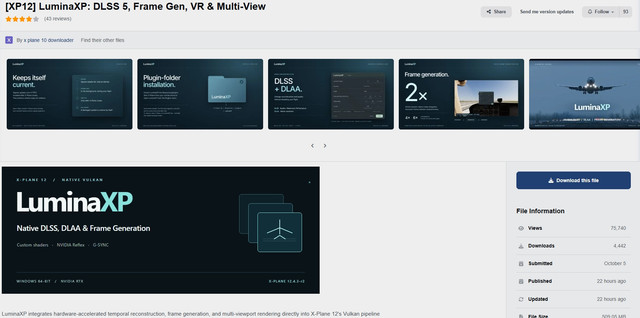
LuminaXP provides NVIDIA DLSS/DLAA, Intel XeSS, native TAA, NVIDIA frame generation and a
separately selected AMD FSR frame generation, Reflex and AMD Anti-Lag, LuminaXP V-Sync, effects
and native lighting terms through its own Vulkan layer. No stock simulator shaders or simulator
executable are included or replaced.
## Automatic updates and model preparation
The panel shows download percentage, transferred size, measured speed and estimated download
time remaining. Verification and unpacking show their current stage; their duration depends on
your disk and processor, so they do not display an invented countdown. Errors explain what to
check and offer **Retry**. Details are also available in **Stats for nerds**.
Application updates and NR models are delivered separately. After the normal update restart,
LuminaXP automatically prepares only the model selected for the active RTX GPU. Its first
download is approximately 194–216 MB; the full ZIP already includes both model archives.
Existing verified models are reused, including those prepared by 1.0.25. Future application
updates reuse this cache unless the model itself changes. No separate setup or credentials
are needed, and NR becomes available when preparation finishes without another restart.
Models are stored in **Output/LuminaXP/cache/nr-models**. Keep **Output/LuminaXP** when updating.
Preparation runs in a separate background helper with reduced CPU and disk priority. The
panel reports how much space is required if the disk cannot accommodate it.
Older versions receive the smaller application update first. Their existing interface cannot
show the new progress display until that update has installed.
## Experimental neural rendering and cockpit improvements
October DLSS 5 NR Preset B is bundled for RTX 20/30 and RTX 40/50. Choose **NVIDIA DLSS**
or **NVIDIA DLAA**, then **Experimental > DLSS 5 neural rendering > On**. It defaults Off.
The appropriate model arrives automatically through signed, hash-verified delivery and is
losslessly unpacked before the control becomes available. Allow about 1 GiB of free disk
space for model preparation, in addition to the application update and its backup.
No image settings are reduced by compression. NR adds GPU work and can lower rendered FPS.
The owner confirmed NR running on an RTX 3080. RTX 20/40/50, laptop and professional RTX models
remain hardware-validation targets. Compatibility checks determine whether NR can initialize.
This is an experimental compatibility integration, not official NVIDIA support on every RTX GPU.
Click the **bar-chart icon** beside What's new for **Stats for nerds**: the actual verified model
fingerprint, selected variant, GPU, initialization status and successful evaluation counts.
**Copy report** copies a local diagnostic snapshot; it does not upload anything. The counters
represent accepted NGX command recordings; GPU completion and visual quality require separate
validation. What's new lists only releases already published on Cloudflare at package preparation.
PFD tape ghosting and smearing are partially addressed with reactive masks. Preliminary Zibo
FG On/Off testing showed improvement without observed panel shimmer. Full native font
reconstruction, display jitter exclusion, multi-monitor and VR support remain in progress.
## Requirements and verification status
- Windows 10/11 x64 and .NET Framework 4.8; no Python or compiler is needed.
- X-Plane using Vulkan. This package recognises 12.4.3-r2, 12.4.4-b3 and b4, and other editions
(such as Steam) whose shader interfaces match; the Steam 12.4.4-b4 settings layout is reviewed.
- NVIDIA DLSS/DLAA require a compatible RTX GPU and driver. Intel XeSS, TAA, AMD FSR frame
generation, ray-traced bounce and the other options have their own device checks.
- Unsupported choices remain unavailable, with a reason. Only an RTX 3080 is available to the
developer; AMD, Intel and other NVIDIA hardware are unverified.
This build passed compilation, CPU policy, adapter and fake-driver checks, and package and signature
checks. It has **not been tested in X-Plane by the build agent**: the owner tests it before it is
published. Cockpit image quality, performance, VRAM use and long-flight stability of this build are
not yet established. Input-to-display latency is unmeasured.
## Install or replace an older LuminaXP
1. Close X-Plane and allow its LuminaXP exit helper to finish.
2. Move the existing **LuminaXP** folder out of **Resources/plugins**, keeping it as a backup. Keep
**Output/LuminaXP** and its recovery records.
3. Extract this ZIP's **LuminaXP** folder into **X-Plane 12/Resources/plugins**. Use the full
package, not the updater payload ZIP. Do not merge versions.
4. Start **X-Plane.exe** normally.
An installation already registered at this path can activate on that start. For a completely new
installation, the first direct start registers the per-user Vulkan layer; it becomes active on the
next start. Alternatively, run **LuminaXP.exe** once for registration and an active first flight.
Thereafter normal X-Plane starts require no separate launcher action.
Existing installations receive 1.0.27 through the normal signed updater, followed by automatic
model preparation if needed. The update retains the stable entry plugin, shim and bootstrap.
Use the **full ZIP** for a new installation or a repair.
The per-user registration normally needs no administrator rights. Starting X-Plane as administrator
uses an all-users layer registration; removal of that entry can require Windows approval later.
## In-flight controls
Open **Plugins ? LuminaXP ? Graphics settings…**. The panel has four pages: Graphics, Advanced, Effects and Experimental.
**Graphics**
- **Upscaling:** DLSS (Quality, Balanced or Performance), DLAA (native resolution), TAA, Original
(X-Plane's prior settings) or AMD FSR (its native upscaler). With the Advanced page's Upscaler on
Intel XeSS, the DLSS and DLAA modes run Intel XeSS and XeSS anti-aliasing.
- **Frame generation:** Off, NVIDIA 2×/4×/6× where the backend supports them, and separately
labelled **AMD FSR 2×**. NVIDIA 4×/6× remain experimental.
- **NVIDIA Reflex:** Off, On, On + Boost, where supported. On AMD devices with `VK_AMD_anti_lag`
the row is **AMD Anti-Lag** (Off/On).
- **G-SYNC:** available when the NVIDIA driver reports it for this display and window mode. This
control does not enable G-SYNC in NVIDIA Control Panel.
- **Sharpness:** 0–100%, with live readback. Pointer, arrows, Shift+arrows and Home/End work.
- **Restore:** returns managed graphics values to the session baseline.
**Advanced**
- **DLSS model:** Auto, J (less ghosting), K (sharpest), M (for Performance) or E (fastest). Auto
picks E, NVIDIA's CNN model, on RTX 20 and 30 cards, where the transformer models (J, K and M)
cost about twice as much; on RTX 40 and 50 cards it picks K, or M for Performance. Choose K for
the sharpest image on any card.
- **V-Sync:** LuminaXP's own, Off or On, for displays without G-SYNC. It starts from X-Plane's own
setting; with frame generation on, presents stay synchronised to the display.
- **Object motion:** per-object motion vectors for traffic, propellers and animated parts (On by
default), so DLSS and frame generation follow them instead of the camera alone.
- **Upscaler:** NVIDIA DLSS or Intel XeSS, where XeSS's runtime starts on this device.
- **Ray-traced bounce:** bounce light traced through LuminaXP's scene of X-Plane's objects, where the
device offers ray queries (Off by default).
- **Micro-detail:** a small trained network adds micro-shadowing toward a low sun and cavity
occlusion on level ground, chiefly grass, in X-Plane's own lighting (Off by default).
- **4× and 6× (experimental):** offers NVIDIA frame generation's 4× and 6× even where the card's
frame-generation runtime reports 2× only (Off by default). Turning it On asks first. Forced 4×
and 6× may stutter, show artefacts, fail or crash X-Plane; when the runtime refuses, LuminaXP
steps back to 2× and says why, and while a forced multiplier runs the status line is amber. Frame
generation holds X-Plane to the display's rate over the multiplier: on a 120 Hz display 4× means at
most 30 real frames per second and 6× at most 20; the panel shows this while 4× and 6× are forced.
**Effects** (each Off by default)
- **Adaptive sharpening** and **Ground sharpening** (oblique terrain, sparing cockpit textures): X-Plane's
sharpening per pixel, plus a bounded detail term on top that still applies at Sharpness 100%. With
DLSS, DLAA or TAA, **Ground sharpening** also samples X-Plane's textures half a mip level sharper
(a texture LOD bias): sharper ground and objects, at some CPU cost in busy scenes, so it runs only
while Ground sharpening is on. Without it, DLSS samples textures as X-Plane does.
- **Depth of field**, with automatic focus; the cockpit is never blurred.
- **Exposure balance** between cockpit and exterior.
- **Motion blur**: **On** blurs only things that move on their own (traffic, propellers, animated parts,
from per-object motion); **On + Camera** also blurs the camera's motion (turning, or the scenery
passing by), and needs no per-object motion.
- **Contact shadows** and **Bounce light**, in X-Plane's own deferred lighting.
DLSS, DLAA and TAA turn MSAA and FXAA off together, through the simulator's verified settings
transaction. Original/Restore restore the recorded values. X-Plane's conflicting native controls
remain owned by LuminaXP while managed. Unknown settings layouts or foreign pending edits are
refused, not overwritten.
Texture mip compensation follows the upscaler's internal rendering ratio and applies only to
recognised material textures. UI, render targets, comparison/immutable samplers and unknown layouts
are excluded.
NVIDIA FG may temporarily turn Reflex On when enabled. Explicit user changes clear that ownership;
turning FG off only restores Off when FG owned the change. AMD FG does not force NVIDIA Reflex.
## Graphics memory and shader compilation
LuminaXP asks the driver to keep render targets (X-Plane's and its own) resident first when video
memory runs short, and gives back its optional ray-traced scene under memory pressure. Residency
decisions remain the driver's. LuminaXP's own pipelines are kept in a pipeline cache under
**Output/LuminaXP/cache**, used only for the same GPU and driver, so later starts compile less.
## Frame generation and timing
The NVIDIA Super Resolution and frame-generation runtimes are official and unmodified. The NR compatibility runtimes are separate, modified binaries; see NR-NOTICE.txt. On supported hardware they run directly. RTX 20/30
compatibility uses the included DLSSG-Transfusion 1.4.5.3 module; this is an experimental
compatibility path, not official NVIDIA FG support for these cards. Actual runtime checks determine
the available modes. The separately labelled AMD option uses the pinned official FidelityFX SDK
1.1.4 Vulkan runtime and produces one intermediate frame per real frame (2×). It does not use
Transfusion or replace NVIDIA Super Resolution.
The presenter schedules real and generated frames in temporal order and caps source cadence against
the display ceiling. FG 2× requires approximately 25 rendered FPS, 4× 40 and 6× 60; unsupported or
unsuitable modes are disabled. After sustained low source FPS, it steps down without automatically
stepping back up. **Allow 2× below 25 fps** overrides the NVIDIA 2× floor; low source FPS can still
look uneven.
**RENDER** measures source frames. When present-wait evidence is available, **DISPLAY** counts
completed presentations and **LATENCY** measures frame start to presentation completion. These are
not a physical input-to-photon measurement. The optional PresentMon fallback reports OS display
events and labels its delay **PRESENT DELAY**. A dash means no recent unambiguous timing evidence is
available. The observer runs locally and sends no data.
## Startup, updates and compatibility
Recovery and safe-mode prompts take priority over the startup animation. A start that does not
complete puts the next start in safe mode (X-Plane's exact device, nothing of LuminaXP's own); after
healthy safe starts LuminaXP tries full graphics again, and a new X-Plane build starts afresh.
Startup health recovery returns a never-healthy new version to a verified healthy previous version
only after two evidenced early startup failures on the same X-Plane build. Late-flight crashes,
user cancellation and unknown exits do not condemn a release.
The signed update list is fetched over HTTPS without an account, identifier or usage telemetry. A
compatible payload can download in the background and is activated after X-Plane closes. **Later**
keeps the flight running; **Restart** is an explicit user action. Updates verify signatures and
every file hash, keeping the prior version.
From the LuminaXP folder:
- `LuminaXP.exe --stock`: start X-Plane once with LuminaXP features off.
- `LuminaXP.exe --reverify`: inspect compatibility without starting X-Plane.
- `LuminaXP.exe --updates notify` or `--updates off`: change update policy. `--updates auto`
restores automatic background updates.
- `LuminaXP.exe --update`: check and install a compatible update while closed.
- `LuminaXP.exe --rollback`: return to the retained previous payload.
SSR/FSR/hi-Z/final-scene passes are recognised by checked binding/uniform interfaces, and X-Plane's
lighting by the names its shaders keep. The native settings adapter separately verifies its code and
layout. Compatible relinking or unused extra fields are tolerated; unknown required interfaces pause
the affected feature or leave the simulator stock. A compatibility report is not proof that every
runtime feature works on a new simulator version.
## Restore and removal
Use **Restore** before removal when possible. **Plugins ? LuminaXP ? Uninstall LuminaXP…** requests
removal after the simulator exits. **Undo** cancels it before exit. The helper restores recorded
owned settings, moves LuminaXP's folders to the Recycle Bin, and unregisters its Vulkan layer. Files
and recovery records are kept if restoration cannot be verified.
Without X-Plane, use Windows **Settings ? Apps ? LuminaXP for X-Plane 12 ? Uninstall**, or
`LuminaXP.exe --uninstall-gui`. `LuminaXP.exe --uninstall` unregisters the layer and retries recorded
preference restoration; remove the plugin folder afterwards only if recovery succeeded.
After an interrupted exit, close X-Plane and run `LuminaXP.exe --restore-preferences`. It restores
recorded FSR, FXAA and MSAA fields only. Unrelated controls, aircraft and VR preferences are
preserved.
If the picture remains blurred after removal, check native **Rendering Resolution (FSR
Supersampling) ? Off (Full resolution)**. Do not delete all simulator preferences or reinstall the
simulator as a first step; preserve logs for diagnosis.
## Languages, displays and support
The panel, plugin menu and bug-report window follow X-Plane's 12 languages: English, French, German,
Italian, Spanish, Korean, Russian, Greek, Japanese, Chinese, Ukrainian and Portuguese. Technical API
identifiers, developer logs and first-install bootstrap notices remain English.
LuminaXP targets the main SDR window. Unsupported present chains, HDR/10-bit FG, unsupported devices
and allocation failures refuse the affected feature. VR uses X-Plane's own renderer. A Vulkan device
loss stops LuminaXP's work; this does not guarantee recovery from a simulator/driver crash. No
crash-free or performance guarantee is asserted.
**Send bug report** opens a separate LuminaXP window. Describe the issue, review the ZIP, confirm
sharing, then send to the private support inbox. No report is sent automatically. Reports contain
bounded logs and device/version/settings information, may contain paths/plugin names, and exclude
screenshots, dumps, flight saves and preference files.
## Files, licences and integrity
`versions/1.0.27/release.json` records each payload's size, hash, licence and origin. `release.sig`
authenticates it; `bootstrap.json` and `bootstrap.sig` cover the stable entry files. `current.json`
selects the version. The adjacent `SHA256SUMS.txt` covers the public downloads.
The archive includes compiled payloads, official runtimes, the compatibility module, animation,
notices and metadata. It contains no source files, PDBs or signing keys. Licences include LuminaXP,
NVIDIA RTX SDK, Intel XeSS (with its third-party notices), Transfusion MIT, AMD FidelityFX MIT,
Inter/Noto OFL, X-Plane SDK and Intel PresentMon MIT. The micro-detail model was trained by LuminaXP
on CC0 ambientCG material scans.
LuminaXP is not made or endorsed by Laminar Research, NVIDIA, Intel or AMD. Its own binaries lack a
Windows publisher certificate; signed update manifests protect integrity independently. If LuminaXP
improves your flying experience, the **Donate** link opens https://ko-fi.com/luminaxpdev.
## Version 1.0.27
Corrects descriptor tracking used to find reconstruction sources, reduces repeated scene-tracking allocations, and skips generated frames that become too late during pacing. Adds automatic update checks during a session, a Check for updates menu command, reliable session handoff, and installation only after X-Plane closes. Stats for nerds identifies the GPU with NR off; What's new uses verified published release notes. Existing verified NR models are reused. Tested offline; confirmation on the affected PCs remains pending.
Native multi-monitor/VR and the remaining graphics-quality work are still in progress.
## Version 1.0.28
Restores the frame rate DLSS, DLAA and TAA lost since 1.0.21: with one monitor LuminaXP recorded per-draw information for multi-monitor routing that only several monitors or a headset can use, and no longer does. Offline timing of a 20,000-draw frame: DLAA 8.7 ms down to 4.6 ms and DLSS 8.8 ms down to 4.7 ms of LuminaXP time on the render threads (1.0.20: 3.1 ms), with no locking per X-Plane call. Several monitors and VR keep their routing. Confirmation in X-Plane on the reporting PCs is pending.
## Version 1.0.29
Restores the frame rate DLSS, DLAA and TAA lost since 1.0.21: with one monitor LuminaXP recorded per-draw information for multi-monitor routing that only several monitors or a headset can use, and no longer does (offline, a 20,000-draw frame: DLAA 8.7 ms down to 4.6 ms, DLSS 8.8 ms down to 4.7 ms of LuminaXP time on the render threads; 1.0.20: 3.1 ms). Also fixes DLSS, DLAA and TAA not starting on some PCs with "SSR or reconstruction source pass missing" (reported on RTX 5060 Ti since 1.0.26): when the image used to identify the scene cannot be read, LuminaXP tries its other inputs, and with one monitor attaches to the sim's passes as it did before 1.0.21; support reports now say which lookup failed. Several monitors and VR keep their routing. Confirmation on the reporting PCs is pending.
## Version 1.0.30
Fixes DLSS, DLAA and TAA staying on Original with "SSR or reconstruction source pass missing" (reported on 1.0.26 and 1.0.27) or "Current-frame hi-Z/SSR contracts missing" (1.0.29) on PCs with heavy scenery: LuminaXP keeps a fixed-size record of the graphics resources of X-Plane, and with many scenery textures it filled up and dropped the reflection and depth passes that DLSS needs. Those passes are now always kept. Includes the DLSS, DLAA and TAA frame-rate fix of 1.0.28. Confirmation on the reporting PCs is pending.
## Version 1.0.31
Fixes "SSR or reconstruction source pass missing" coming back after switching between DLSS, DLAA and DLSS 5: LuminaXP kept an entry for every image X-Plane had destroyed, and each mode switch rebuilds the images of X-Plane, so after a few switches its routing record was full. Destroyed images are now removed. Includes the fixes of 1.0.28 and 1.0.30. Confirmation on the reporting PCs is pending.
## Version 1.0.32
Removes two causes of DLSS, DLAA and TAA getting slower over a long session: when X-Plane freed graphics resources (it does so all the time while scenery streams), LuminaXP searched lists that grow with the session while holding a lock that the rendering threads of X-Plane wait for. Both steps now take constant time. Also fixes DLSS and DLAA stopping after several hours with "hi-Z/SSR contracts missing". Support reports now include the performance record of LuminaXP. Confirmation on the reporting PCs is pending.
## Version 1.0.33
Less CPU time on the recording threads of X-Plane in every mode, Original included: each descriptor push and viewport change made all of the recording threads of X-Plane wait on one shared counter in LuminaXP, so drawing on several threads was close to drawing on one. They no longer share it. Confirmation on the reporting PCs is pending.
## Version 1.0.35
Removes a stutter of about two seconds that came back every half-minute or so with DLSS or DLAA, worse as a flight went on: each texture X-Plane unloaded made LuminaXP search all of its records of X-Plane's images while X-Plane's threads waited. It is a direct lookup now. With 1.0.34's changes (not published on their own): X-Plane's recording threads no longer slow each other down binding pipelines with Object motion on, descriptor sets LuminaXP never needs skip its lock, and frame generation's pacing figures are kept with the session for support reports. Confirmation on the reporting PC is pending.
## Version 1.0.41
Fewer hitches. LuminaXP's logs are written by a thread of its own, no longer on X-Plane's threads or frame generation's presentation thread, where a busy or full disk could hold a frame. Object motion (the per-object motion vectors DLSS, DLAA, TAA and frame generation use) no longer turns itself off and on to save time, and it now also runs with frame generation in Original. LuminaXP's own pipeline cache is saved during the flight: it was never stored, so each session compiled LuminaXP's passes again, with a hitch when a mode first turned on. Each session records every hitch with what happened in it, and bug reports include that record. Also in this version (1.0.36 to 1.0.40 were not published on their own): no stutters of up to a few seconds while X-Plane loads scenery with one monitor; less CPU time on X-Plane's recording threads with DLSS, DLAA and TAA; the panel's release notes include the installed version's own note while it is newer than the published releases; and when LuminaXP's Vulkan layer does not load, Plugins > LuminaXP > Send bug report... says why, in your language. Confirmation in flight is pending.
## Version 1.0.43
Less CPU time on X-Plane's recording threads with heavy aircraft: about 480 descriptor writes a frame that 1.0.42 still sent through LuminaXP's lock in a test flight with a payware airliner now find their answer without it. Frame generation's mode changes are measured step by step in the session record, so the hitch when its multiplier changes can be removed next. Also in this version (1.0.42 was not published on its own): X-Plane's recording threads share what LuminaXP learns about their descriptor sets, so most of them no longer wait on its lock; the cockpit-display detection takes about a quarter less GPU time at 4K; and each step of a mode change is timed in the session record. Confirmation in flight is pending.
## Version 1.0.45
X-Plane's own frame-rate row (Ctrl+Shift+F) now shows the frames your display shows, frame generation's included, and RivaTuner, MSI Afterburner and OBS count them too: LuminaXP now comes before them in X-Plane's Vulkan layer order, from the second X-Plane start after this update (Vulkan Configurator's own settings are left alone). X-Plane's frame time, flight model and add-ons keep X-Plane's own values. Also in this version (1.0.44 was not published on its own), on the Experimental page and both off by default: Sharper textures in DLSS, which in DLSS Quality, Balanced and Performance reads X-Plane's textures with the detail of your screen's resolution, so cockpit lettering, placards and gauges stay crisp (it costs a little CPU); and Record cockpit displays (diagnosis), a one-session recording of how X-Plane draws the cockpit screens, for sharp and ghost-free displays in DLSS and DLAA later: to help, record one in your aircraft and send it with Send bug report (no pictures, no aircraft files).
## Version 1.0.46
Fixes X-Plane crashing during normal startup after 1.0.45 on affected NVIDIA systems. LuminaXP now queries global Vulkan capabilities through the loader instead of passing a null instance to the next graphics layer, and handles RivaTuner's device-creation lookup when the overlay comes first. Frame generation and the frame-rate counter integration are retained. Verified with offline startup tests using the installed NVIDIA, OBS and RivaTuner layers; confirmation inside X-Plane is pending.
## Version 1.0.47
Puts LuminaXP back in its pre-1.0.45 place among your PC's Vulkan layers, the change most likely behind the frame-rate drop some users saw with frame generation since 1.0.45. RivaTuner, MSI Afterburner and OBS again count X-Plane's rendered frames, as before 1.0.45: LuminaXP no longer places itself first among the Vulkan layers on your PC and removes the setting it added. X-Plane's own frame-rate display (Ctrl+Shift+F) still shows the frames you see. Also fixes a stutter every few seconds on some PCs: whenever X-Plane replaced its window's display images, LuminaXP set DLSS, its calibration and frame generation up again from scratch (a third of a second each time); with one monitor it now keeps them. Moving ground vehicles no longer ghost in Original with frame generation: they now get their own motion there too, as in DLSS, DLAA and TAA, and that motion no longer depends on an optional graphics-card feature. Bug reports now include LuminaXP's record of moving objects. Confirmation in flight is pending.
## Version 1.0.52
Restores the frame rate lost with NVIDIA driver 621.01: LuminaXP's frame-rate meter asked the driver after every frame whether it had been shown, and with 621.01 each such check takes about 1 ms, which added 3 to 3.7 ms to each frame on an RTX 3080 with frame generation off. The meter now counts the frames as they are sent to the screen, so DISPLAY and X-Plane's frame-rate row show the same values as before; FRAME DELAY, which needed the moment each frame was shown, now shows a dash. LuminaXP now always starts with X-Plane. Frame generation's files are prepared once for each LuminaXP version, in the background, instead of being copied at every start; on some PCs (for example with antivirus software checking the copies) that copy could stall and LuminaXP paused with "the start-up check did not finish in time". If the files are not ready yet, that one start runs without frame generation, and the next start has it. Confirmation in flight is pending.
## Version 1.1.0
Sharper cockpits in DLSS: cockpit textures are now sampled for your screen's resolution, so placards, gauge faces and instrument markings are as crisp as in DLAA, and they stay sharp through changes of mode, quality or frame generation and aircraft loads. Sharper textures is always on in DLSS, and its switch is gone from the Experimental page: a cockpit only took a change of that switch once X-Plane redrew it, so it seemed to do nothing. Sharp glass displays in DLSS, DLAA and TAA: after the reconstruction, LuminaXP redraws the screens X-Plane's own avionics draw into a cockpit, such as the GNS and G1000, at your screen's resolution from their own images, so their lettering and symbols keep their detail and changing digits leave no trail. Where something is in front of a screen, or a screen cannot be matched, the picture is as before. The screens now stay protected through changes of mode, quality or frame generation and aircraft loads, including a switch from Original to DLAA; before, a change could leave them smearing until X-Plane redrew them. Faster DLSS and DLAA where X-Plane's own thread sets the frame rate: LuminaXP's hooks on X-Plane's recording threads no longer queue on one shared lock (in flight it held them 4 to 8 ms a frame; in the cost test a contended call takes about 75% less time). Original gains too where it is CPU-bound. Confirmation in flight is pending. Loading another aircraft, for example the Zibo 737 after the Cessna, no longer turns DLSS off with "SSR or reconstruction source pass missing". In Original with frame generation, moving aircraft and traffic now give the generated frames their own motion; before, object motion never started there and the generated frames had only the camera's. With Ray Tracing on, sunlight through the cockpit windows is now traced per pixel, so its shafts have clean, straight shadow edges instead of blocks. The panel's FRAME DELAY reading, which 1.0.52 showed as a dash, is gone; RENDER and DISPLAY stay. Also in this version (1.0.48 to 1.0.51 were not published on their own): Ray Tracing no longer flashes: when a frame's ray-traced lighting was not ready, LuminaXP lit that frame as if under open sky and without its ray-traced shadows, and the light then took about a second to settle. It now keeps the last ray-traced lighting for such a frame. Light beams in fog stay smooth and steady near many airport lights. Ray Tracing (Experimental page) now changes how light looks, all from that one switch. Reflections: wet runways and aprons, puddles and other shiny surfaces reflect buildings, aircraft and vehicles where they really are, and no longer show open sky where something blocks it. Rain spray and dust: wheels rolling at speed throw spray on wet or puddled runways and on snow, and dust on dry grass and gravel. Light beams: landing, taxi and apron lights and street lamps show as beams of light in mist, fog and rain. And a camera's view of the light: a lens's soft bloom round bright windows, lights and sky; the sun's glare and a faint lens ghost when you look toward it, dimmed by whatever hides it; sun shafts where buildings, trees and your aircraft cast their shadows into X-Plane's haze; and in a sunlit cockpit or hangar, light streaming through the windows with drifting dust motes. It all follows X-Plane's weather: clear air stays clear, while haze, mist and rain show more. It replaces Ray Tracing's former dust, so the haze is never doubled. With Ray Tracing off nothing of it runs. Also, uninstalling LuminaXP now removes the Vulkan layer entries that old or misplaced LuminaXP copies left behind. Confirmation in flight is pending.
## Version 1.1.1
DLAA and frame generation take less GPU time: LuminaXP's copy of X-Plane's image no longer gathers colour statistics that nothing used (at 4K about 2.9 ms a frame less in DLAA and in Original with frame generation; about 1.3 ms less in DLSS Quality and 0.7 ms less in DLSS Performance). With Ray Tracing on, the air under an aircraft seen from outside no longer turns into a white, streaked curtain: the cockpit's and hangar's sunlit dust now needs a real roof and walls round you, so it stays in cockpits and hangars. LuminaXP no longer stays paused at every start with "X-Plane preferences could not be read safely" after a crash or power cut left one of its own session records blank, and uninstalling no longer fails on it. On RTX 20 and 30 series cards the DLSS model list now says that M is slow on this GPU: M needs the FP8 tensor cores of RTX 40 and 50 cards, and on an RTX 3080 at 4K it costs 12 to 15 ms a frame, against about 1 ms for Auto (model E there). Sharper textures (DLSS) now sharpens only the colour and lit textures, as X-Plane's own sharpening does, and no longer the bump, material and decal maps, whose sharper levels made cockpit panels shimmer from a distance. Confirmation in flight is pending. LuminaXP no longer crashes X-Plane while it creates its graphics pipelines when the pipeline carries an unused dynamic-rendering description (reported with an RTX 4090 and the latest NVIDIA driver).
## Version 1.1.2
Frame generation now works from the first start after installing or updating LuminaXP: that start prepares frame generation's files itself, in well under a second, instead of waiting for a background helper. Before, the first start could run without frame generation, its option greyed out with a message wrongly saying it needs RTX 40/50 hardware. If the files still cannot be prepared in time, the option now says so, and frame generation is there at the next start. LuminaXP no longer pauses with "the start-up check did not finish in time": the check now keeps to the 8 seconds X-Plane's start gives it, frame generation's files are prepared when an update installs instead of during the next start, and the check no longer hashes its own files a third time while X-Plane waits. A start that is slow anyway takes frame generation at the next start instead of pausing LuminaXP. LuminaXP now reads only the parts of X-Plane's graphics pipeline settings that Vulkan itself reads: the same protection as 1.1.1's RTX 4090 fix, for every other setting. Bug reports now include X-Plane's own memory use over the whole session (at X-Plane's start, every 5 minutes, at the moment of the report and at its peak), recorded by LuminaXP's helper outside X-Plane at no cost to X-Plane, so a "system memory commitment is nearly full" message shows whether X-Plane grew during the flight or other programs filled the memory.
## Version 1.1.3
With frame generation on, the cockpit displays now move with the cockpit in the generated frames. Before, each generated frame showed the displays where the last real frame had them, so while the head moved they stepped against their bezels and their edges ghosted. The cockpit displays LuminaXP draws itself flicker far less: the soft blotches that changed from frame to frame around readouts and lines are largely gone, with the head still or moving. LuminaXP's start-up check now reads half as much while X-Plane starts: Intel XeSS's and AMD's runtimes, which LuminaXP checks itself before it uses them, are no longer read twice by the check. On a first start after installing, a slow or busy disk could take the whole 8 seconds X-Plane gives the check and pause LuminaXP with "the start-up check did not finish in time"; restarting X-Plane worked around it. Bug reports now include X-Plane's own memory record, as 1.1.2's notes said they would: 1.1.2 recorded it every 30 seconds but left it out of the report.
## Version 1.1.4
Double-clicking LuminaXP.exe now opens the LuminaXP window, a standard Windows 11 app: start X-Plane, check for updates, choose automatic updates, go back to the previous version, send a bug report, restore X-Plane's graphics settings or uninstall LuminaXP, without typing a command. Windows Settings > Apps > LuminaXP for X-Plane 12 > Modify opens it too, and the bug report window has the same look. To start X-Plane directly, as LuminaXP.exe alone did before, use LuminaXP.exe --start. LuminaXP.exe --updates typed without a setting no longer fails; it says what it takes.
## Version 1.2.0
DLSS 5 has its own page in the LuminaXP panel, after Experimental: turn it on, choose its model (Quality or Performance) and style (Standard, Natural or Cinematic), and set Intensity, Detail and Tone with sliders that act at once, without a restart. Your choices are kept between flights. DLSS 5 now runs on every second frame by default: between its frames, its change follows the picture by motion and depth, which halves its cost and keeps the picture steadier. Refresh on the same page sets every frame or every 4 frames. Glass cockpit: the screens LuminaXP redraws are now drawn at each pixel's own place, without the frame's jitter, so their edges and lettering stay still instead of flickering; their brightness follows the level of detail X-Plane really used, so a screen no longer comes out brighter or blotchier than in Original; and with DLSS 5 on, a screen keeps X-Plane's own picture. VR: LuminaXP's OpenXR entry now runs only in the X-Plane LuminaXP checked at its start, and a damaged or blocked entry left by an earlier LuminaXP is turned off at the next start, so it can no longer stop X-Plane's VR or another program's ("failed to create OpenXR instance"). Bug reports list Windows' OpenXR layers. For VR through OpenXR: when the headset's runtime fails to start a frame, LuminaXP keeps the frame it was on, and a fault in LuminaXP's own frame observer no longer turns a working frame into an error.
## Version 1.2.1
DLSS 5 with Refresh at every 2 or every 4 frames no longer pulses or flickers while the view moves: each new DLSS 5 frame now blends in over the frames until the next one, instead of replacing the last at once. Refresh now starts at Every frame; every 2 and every 4 frames stay on the list.
## Version 1.2.2
Frame generation no longer turns a damaged camera offset into a distorted in-between frame: that frame is shown as it is and frame generation starts again from the next one. FSR 2x frame generation now runs AMD's FSR SDK 2.4.0: FSR frame generation 3.1.6 on every card, RTX 20 and 30 included, and AMD's driver can run FSR 4 frame generation on Radeon RX 9000.
## Version 1.2.3
If X-Plane restarts itself after updating, LuminaXP now says to start X-Plane again instead of showing limited mode. V-Sync, G-SYNC and DLSS 5 are now kept between flights. If other programs still use LuminaXP's files when you uninstall it, LuminaXP now names them so you can close them.
## Version 1.2.4
Object motion is always on: the Advanced page no longer offers to turn it off, because DLSS, DLAA, TAA, frame generation and Ray Tracing all need its per-object motion vectors. Frame generation now offers what works best on each card: FSR 2x on RTX 20 and 30, NVIDIA 2x on RTX 40. Allow 2x below 25 fps now covers FSR 2x too.
"
CPU i7 8700K 3.7 GHz 32 Go RAM DDR4 2400 MHz, Win 11 sur SSD 240 Go, RTX 5060 Ti 16 Go, Driver 621.01, DLSS5, dll versions 310.9.1, résolution 1920x1080, casque VR Oculus Quest 2 câble Link, MSFS 2020 désinstallé, MSFS 2024 SU2 Aviator installé sur SDD NVMe interne, XP12 sur SSD externe NVMe USB 3.2, AFS2 et 4, P3D V5, FSX, FS9, Condor 2 et 3 - entre autres simus -. Connexion Internet 250 Mbits/s
Hors ligne
Hello
Je l'ai téléchargé, puis mis dans le dossier pluging, c'est là que je me suis aperçu qu'il fallait l'exécuter une fois X plane lancé... pas été plus loin de peur de tout foutre en l'air...
Il parait que l'on peut le désinstaller si l'on souhaite mais restera t-il des traces dans X Plane ?
Gérard
## Restore and removal
Use **Restore** before removal when possible. **Plugins ? LuminaXP ? Uninstall LuminaXP…** requests
removal after the simulator exits. **Undo** cancels it before exit. The helper restores recorded
owned settings, moves LuminaXP's folders to the Recycle Bin, and unregisters its Vulkan layer. Files
and recovery records are kept if restoration cannot be verified.
Without X-Plane, use Windows **Settings ? Apps ? LuminaXP for X-Plane 12 ? Uninstall**, or
`LuminaXP.exe --uninstall-gui`. `LuminaXP.exe --uninstall` unregisters the layer and retries recorded
preference restoration; remove the plugin folder afterwards only if recovery succeeded.
After an interrupted exit, close X-Plane and run `LuminaXP.exe --restore-preferences`. It restores
recorded FSR, FXAA and MSAA fields only. Unrelated controls, aircraft and VR preferences are
preserved.
If the picture remains blurred after removal, check native **Rendering Resolution (FSR
Supersampling) ? Off (Full resolution)**. Do not delete all simulator preferences or reinstall the
simulator as a first step; preserve logs for diagnosis.
CPU i7 8700K 3.7 GHz 32 Go RAM DDR4 2400 MHz, Win 11 sur SSD 240 Go, RTX 5060 Ti 16 Go, Driver 621.01, DLSS5, dll versions 310.9.1, résolution 1920x1080, casque VR Oculus Quest 2 câble Link, MSFS 2020 désinstallé, MSFS 2024 SU2 Aviator installé sur SDD NVMe interne, XP12 sur SSD externe NVMe USB 3.2, AFS2 et 4, P3D V5, FSX, FS9, Condor 2 et 3 - entre autres simus -. Connexion Internet 250 Mbits/s
Hors ligne
Après l'installation il faut lancer le plugin puis quitter X-Plane et relancer X-Plane pour que le plugin soit actif
Et pour l'installation :
## Install or replace an older LuminaXP
1. Close X-Plane and allow its LuminaXP exit helper to finish.
2. Move the existing **LuminaXP** folder out of **Resources/plugins**, keeping it as a backup. Keep
**Output/LuminaXP** and its recovery records.
3. Extract this ZIP's **LuminaXP** folder into **X-Plane 12/Resources/plugins**. Use the full
package, not the updater payload ZIP. Do not merge versions.
4. Start **X-Plane.exe** normally.
An installation already registered at this path can activate on that start. For a completely new
installation, the first direct start registers the per-user Vulkan layer; it becomes active on the
next start. Alternatively, run **LuminaXP.exe** once for registration and an active first flight.
Thereafter normal X-Plane starts require no separate launcher action.
Existing installations receive 1.0.27 through the normal signed updater, followed by automatic
model preparation if needed. The update retains the stable entry plugin, shim and bootstrap.
Use the **full ZIP** for a new installation or a repair.
The per-user registration normally needs no administrator rights. Starting X-Plane as administrator
uses an all-users layer registration; removal of that entry can require Windows approval later.
CPU i7 8700K 3.7 GHz 32 Go RAM DDR4 2400 MHz, Win 11 sur SSD 240 Go, RTX 5060 Ti 16 Go, Driver 621.01, DLSS5, dll versions 310.9.1, résolution 1920x1080, casque VR Oculus Quest 2 câble Link, MSFS 2020 désinstallé, MSFS 2024 SU2 Aviator installé sur SDD NVMe interne, XP12 sur SSD externe NVMe USB 3.2, AFS2 et 4, P3D V5, FSX, FS9, Condor 2 et 3 - entre autres simus -. Connexion Internet 250 Mbits/s
Hors ligne
lucky a écrit :Maverick51 a écrit :Ça apporte quelque chose pour les GPU AMD ? J'ai une RX6950XT 16Gb
Franchement : en allant voir sur org avec le lien que j'ai donné tout est détaillé...
L'idée c'était surtout de savoir si quelqu'un ici avait une carte AMD dans une gamme assez semblable avait remarqué une amélioration.
Pour ma part je ne peux pas te dire je n'ai toujours eu que des Nvidia (à part une expérience malheureuse il y a très longtemps je ne sais même plus avec quelle carte AMD)
Tout ce que je peux faire pour toi c'est :
"
Compatibility
Operating System: Windows 10 / 11 (64-bit)
Simulator: X-Plane 12 (Vulkan backend)
Hardware Support:
NVIDIA RTX 20 / 30 / 40 / 50 Series (DLSS, DLAA, Frame Generation)
AMD Radeon RX 6000 / 7000 / 8000 Series (FSR 3.1 & Frame Generation)
Intel Arc Series (XeSS)
"
CPU i7 8700K 3.7 GHz 32 Go RAM DDR4 2400 MHz, Win 11 sur SSD 240 Go, RTX 5060 Ti 16 Go, Driver 621.01, DLSS5, dll versions 310.9.1, résolution 1920x1080, casque VR Oculus Quest 2 câble Link, MSFS 2020 désinstallé, MSFS 2024 SU2 Aviator installé sur SDD NVMe interne, XP12 sur SSD externe NVMe USB 3.2, AFS2 et 4, P3D V5, FSX, FS9, Condor 2 et 3 - entre autres simus -. Connexion Internet 250 Mbits/s
Hors ligne

Par rapport à ma config, Testé et adopté. Avec Lumina fini l'antialiasing dans X plane.
Un must have !
Configuration de Vol: Processeur: Amd 9800x3d, Carte Mère: MSI X670E GAMING, Carte Graphique: NVIDIA GeForce RTX 5080, RAM: 64GB DDR5 @6000 MHz, SSD: (x2) Samsung SSD 970 Evo 1-TB - M.2
Chaîne TWITCH : https://www.twitch.tv/aero_noxx
Chaîne YOUTUBE : https://www.youtube.com/channel/UCYAoQGXwXG8lVyo3_0JZ4aQ
Hors ligne
Pages 1